Описание товара на английском языке:
DIRECT POWER DESIGN
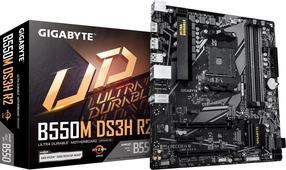
B560M AORUS motherboard uses an 12+1 phases digital CPU power design which includes both digital PWM Controller and DrMOS. These 100% digital controller and additional 8 Solid-pin CPU Power Connectors offer incredible precision in delivering power to the motherboard's most power-hungry and energy-sensitive components, allowing enthusiasts to get the absolute maximum performance from the new Intel 11th Gen CPU.
ADVANCED THERMAL SOLUTION
B560M AORUS uses high performance Fully Covered thermal design with high coverage MOSFET Heatsinks and thick thermal pad, providing ultimate MOSFET cooling performance for enthusiasts, overclockers and gamers.
PERFORMANCE
With the best quality components and GIGABYTE R&D design capability, the B560M AORUS is a true beast among motherboards.
NEXT GENERATION CONNECTIVITY
Audio
High Quality Onboard Audio Design
Delivers high quality sound resolution and sound expansion to create the most realistic sound effects for professional gamers.
DEFINITIVE AESTHETICS
B560M AORUS PRO features RGB FUSION 2.0 and offers users the option to control onboard, external light strips, and/or AORUS devices with RGB/ Addressable RGB LEDs to make their PC more unique and stylish.
ULTRA DURABLE
GIGABYTE is reputable for its product durability and high quality manufacturing process. Needless to say, we use the best components we can find for the B560M AORUS motherboard and reinforce every slot to make each of them solid and durable.
GIGABYTE BIOS & APP CENTER
Good software goes hand in hand with perfect hardware. GIGABYTE motherboard bundled several useful and intuitive software to help users to control every aspect of motherboard.
New User Interface
All new EASY MODE shows important hardware information in one page including CPU clock, Memory, Storage, Fan.
My Favorites
Add constantly used items into the favorite menu for quick access.
Storage Information
Show all kinds of storage information including SATA, PCIE and M.2 interface.
Changelog
List all changes before saving and exiting bios. Quickly review overall settings modification.
Intuitive Load Line Curve
Clearly show each loadline calibration setting in an intuitive curve graph.