
Информация о товаре


Direct 6+2 Phases Digital VRM Solution with Low RDS(on) MOSFETs
Cleaner and more efficient power delivery to the CPU with better thermal performance ensure stability under high CPU frequencies and heavy loading.
Digital PWM Controller to deliver appropriate voltage to the CPU.
Direct 6+2Phases Low RDS(on) MOSFETs without PWM Doublers, each power phase connects directly to the CPU.
All-solid capacitors to improve transient response and minimize oscillation.
8-pin Solid Pin CPU Power Connector.

SMART FAN 6
Smart Fan 6 contains several unique cooling features that ensure gaming PC maintain its performance while staying cool and quiet. Multiple fan headers can support PWM/DC fan and pump, and users can easily define each fan curve based on different temperature sensors across the board via intuitive user interface.
Cooling Features
High Current Support
- Each fan headers support PWM and DC fan and Water cooling Pump , and up to 24W (12V x 2A) with Over-Current Protection
Precision Control
- Up to 7 temperature/fan speed control points for precise fan curve
Dual Curve Mode
- Slope/Stair dual mode for different user scenario
Fan Stop
- Fan can stop completely below users' specified temperature point

Support for DDR4 XMP Up to 4600MHz and Beyond*
GIGABYTE is offering a tested and proven platform that ensures proper compatibility with profiles up to 4600MHz and beyond. All users need to do to attain this performance boost is to ensure that their memory module is XMP capable and that the XMP function is activated and enabled on their GIGABYTE motherboard.
* XMP Profile support may vary depending on memory module.
Please see the complete validated memory support list. Product features may vary by model.

Full PCIe 4.0* Design

High-End Audio Capacitors
GIGABYTE motherboards use high-end audio capacitors. These high quality capacitors help deliver high resolution and high fidelity audio to provide the most realistic sound effects for gamers.
Audio Noise Guard
GIGABYTE motherboards feature an audio noise guard that essentially separates the board’s sensitive analog audio components from potential noise pollution at the PCB level.

Dual PCIe 4.0/3.0 x4 M.2 Connectors
GIGABYTE Ultra Durable Motherboards are focused on delivering M.2 technology to enthusiasts who want to maximize their Systems’ potential.

Connecting the Future - USB Type-C®
The World's Next Universal Connector Reversible USB Type-C® with USB 3.2 Gen1
The USB Type-C® is a new reversible connector that is loaded with useful features such as USB 3.2 Gen1 support for 10Gb/s transfer speed. Powered by the Intel® USB 3.2 Gen1 controller, this little port provides the best USB Type-C® experience possible.

RGB FUSION 2.0
With B560 Motherboard, RGB Fusion 2.0 is even better with Addressable LEDs.* RGB Fusion 2.0 offers users the option to control onboard RGB and external RGB / Addressable LED light strips for their PC. Already feature filled with colors and patterns, RGB Fusion 2.0 on B560 Series Motherboards are now upgraded with Addressable LED support. With external Addressable LED strips*, where each LED is digitally addressable, users can experience even more patterns, styles, and illuminations.
With B560 Motherboard will support either 5v or 12v Addressable LED lighting strips and up to 300 LED lights. RGB Fusion 2.0 with Addressable LEDs comes with new patterns and various speed settings with more to come.
* Addressable LEDs are available only on select Motherboards, external LED Strips, Addressable LED Strips are not included with Motherboard purchase.

Solid Pin Power Connectors
B560 motherboards feature solid plated ATX 12V 8pin power connectors to offer a stable power supply during CPU overloading.
Solid Pin Power connector advantages
Larger contact area for electricity
More metal quantity to sustain higher power and generated heat
Ultra durable and longer lifespan

Q-Flash Plus
Update the BIOS easily without installing the CPU, memory and graphics card.
With GIGABYTE Q-Flash Plus, you don’t need to install the CPU, memory and graphics card nor enter the BIOS menu to flash the BIOS. Just download and save a new BIOS file (rename to gigabyte.bin) on the USB flash drive, then press the dedicated Q-Flash Plus button and you’re good to go!
Часто покупают вместе


Бесплатная доставка в посылочный автомат
Беспроводной комплект клавиатуры и мыши Logitech MX Keys S Combo 920-011614, EN, графитовый цв.
Обычная цена
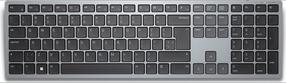
Беспроводная компьютерная клавиатура Dell KB700, EN/RU, черный цв./серый цв.
Обычная цена
Бесплатная доставка в посылочный автомат
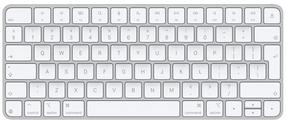
Беспроводная компьютерная клавиатура Apple Magic Keyboard MXCL3Z/A, Английский (INT), белый цв.
Обычная цена


