
Информация о товаре

Say more
Make it stand out with a faster Philips D-Line Professional display. With superb Philips picture quality and Android SoC, this display is more powerful than ever before, capable of delivering complex content to capture your audience's attention.
Operate, monitor and maintain with CMND and Control
Run your display network over a local (LAN) connection. CMND and Control allows you to perform vital functions like controlling inputs and monitoring display status. Whether you're in charge of one screen or 100.
FailOver ensures that content is always playing
From waiting room to meeting room, never show a blank screen. FailOver lets your Philips Professional Display switch automatically between primary and secondary inputs, ensuring that content keeps playing even if the primary source goes down. Simply set a list of alternative inputs to be sure your business is always on.
Integrated HTML5 browser. Play and control online content
Android 7. Dedicated Android processor
Control your Philips professional display via an internet connection. The integrated Android OS (SoC) lets you install web and native Android apps directly onto the display. A built-in scheduler makes it easy to launch apps and content based on time of day or user.
CMND and Create. Develop and launch your own content
Take control of your content with CMND and Create. A drag-and-drop interface makes it simple to publish your own content, whether it's a daily specials board or branded corporate information. Preloaded templates and integrated widgets ensure that your stills, text and video will be up and running in no time.
CMND & Deploy. Install and launch apps remotely
Quickly install and launch any app - even when you're off site and working remotely. CMND & Deploy lets you add and update your own apps, as well as apps from the Philips Professional Display App Store. Simply scan the QR code, log in to the store and click on the app you want to install. The app will be automatically downloaded and launched.
Integrated mPCIe slot for optional 4G/LTE module
Easily connect 4G/LTE modules to your Philips professional display. The integrated mPCIe slot enables your display to communicate with other devices that share the same wireless connectivity. Invaluable if you're installing displays in locations such as banks or government buildings, where you cannot access the local network.
Proof of Play for Android content. Know what's playing
Be sure your Android-powered Philips Professional Display is showing the right content-even when you're not there. When playing content via the embedded media player, you can set up your display to take automatic screenshots at regular intervals. Screenshots are stored on the display's internal memory, and you can choose to receive them via email.
Часто покупают вместе
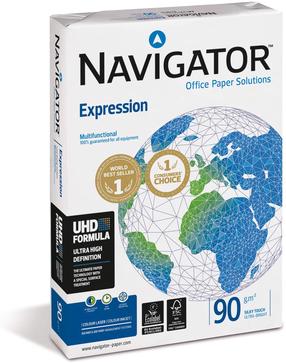
Офисная бумага Navigator Expression, A3, 90 g/m², 42.5 см x 30 см, 500 стр. шт.
Обычная цена


