Toote informatsioon
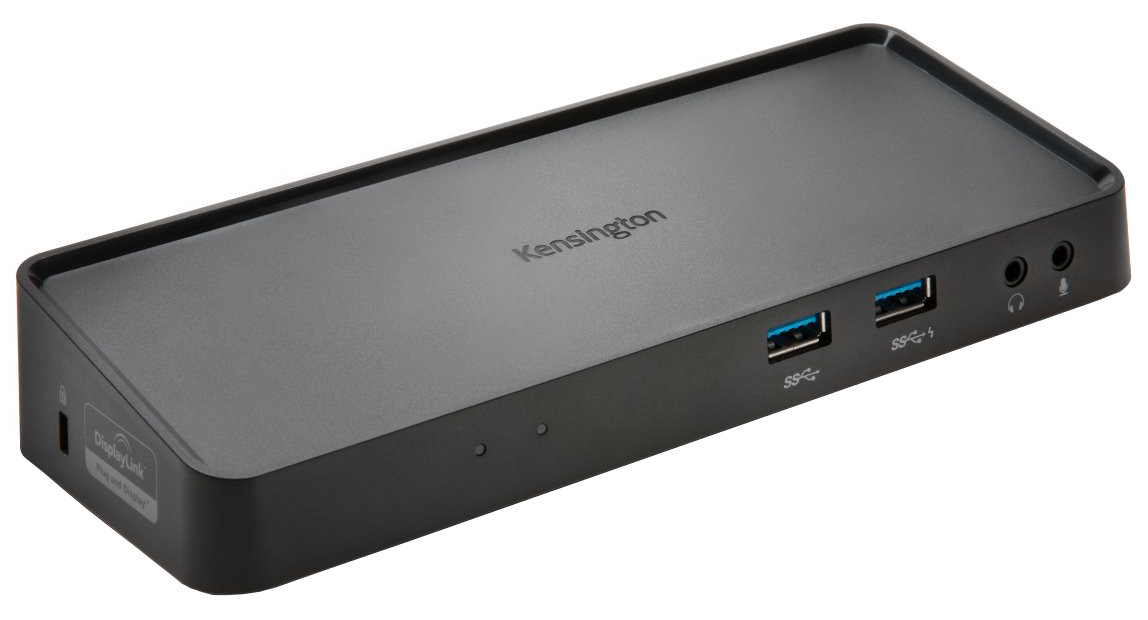
Kensington SD3650 Universal USB 3.0 Docking Station
Toote kirjeldus inglise keeles:
Dual HD Video Output
With DisplayPort and HDMI ports, you can expand your workspace and increase productivity by adding 2 external screens.
Zero Footprint Mounting
The dock can be mounted to the back of a 75mm or 100mm VESA-compatible external monitor (Dock Mounting Plate K33959WW sold separately), allowing you to keep your desktop less cluttered
4 USB 3.0 Ports
Transfer data at up to 5Gbps with the fast and powerful ports, two of which are on the front of the dock, the other two are in the back. One of the front ports doubles as a 2.1A fast charge port that can power a smartphone or tablet.
2 Rear USB 2.0 Ports
The ideal place to plug in accessories like a keyboard or mouse to help keep cables or wireless receivers hidden from view
Extend or Mirror Modes
Extend mode allows you to drag an open application to an external monitor so you can work across multiple screens, while Mirror mode allows you to replicate the content that’s on your computer display to an external screen
Display Settings Software
Allows you to easily switch display modes, change the master monitor, or adjust the alignment and position of your screens. Our corporate install support provides for mass installation via the Microsoft® server.
Gigabit Ethernet Port
Provides a reliable wired connection to a network or the Internet
Toote kirjeldus inglise keeles:
Dual HD Video Output
With DisplayPort and HDMI ports, you can expand your workspace and increase productivity by adding 2 external screens.
Zero Footprint Mounting
The dock can be mounted to the back of a 75mm or 100mm VESA-compatible external monitor (Dock Mounting Plate K33959WW sold separately), allowing you to keep your desktop less cluttered
4 USB 3.0 Ports
Transfer data at up to 5Gbps with the fast and powerful ports, two of which are on the front of the dock, the other two are in the back. One of the front ports doubles as a 2.1A fast charge port that can power a smartphone or tablet.
2 Rear USB 2.0 Ports
The ideal place to plug in accessories like a keyboard or mouse to help keep cables or wireless receivers hidden from view
Extend or Mirror Modes
Extend mode allows you to drag an open application to an external monitor so you can work across multiple screens, while Mirror mode allows you to replicate the content that’s on your computer display to an external screen
Display Settings Software
Allows you to easily switch display modes, change the master monitor, or adjust the alignment and position of your screens. Our corporate install support provides for mass installation via the Microsoft® server.
Gigabit Ethernet Port
Provides a reliable wired connection to a network or the Internet
Koos ostetud