Toote informatsioon
Microsoft Sculpt Mobile Mouse
Toote kirjeldus inglise keeles:
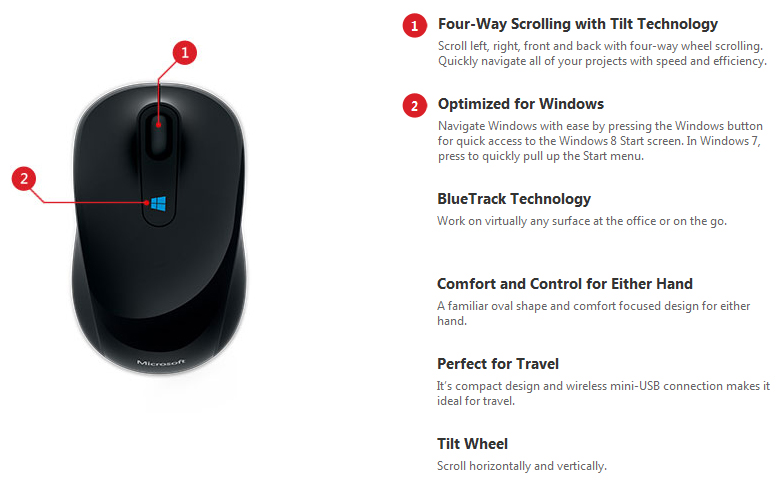
Optimized for Windows
The Windows button on Sculpt Mobile Mouse is an exciting new feature that operates seamlessly with Windows 8. Simply press the Windows logo to instantly view the Start screen and access all of your favorite apps, just one click away.
The perfect travel companion
Whether you’re editing a presentation or connecting with friends online, Sculpt Mobile Mouse is a comfortable, familiar companion for your modern, mobile lifestyle. Its compact design and BlueTrack technology, which works on virtually any surface, make it the ideal device for the office or on the go. Enjoy a clutter-free workspace at your desk or on your coffee table with this wireless, mini-USB connected mouse.
Familiar design, high functionality
The classic shape of Sculpt Mobile Mouse and its 4-way scroll wheel make it intuitive to operate with either hand. Tilting the wheel left and right allows you to scroll horizontally, performing such tasks as navigating the Start screen or moving through wide documents with ease.
Toote kirjeldus inglise keeles:
Optimized for Windows
The Windows button on Sculpt Mobile Mouse is an exciting new feature that operates seamlessly with Windows 8. Simply press the Windows logo to instantly view the Start screen and access all of your favorite apps, just one click away.
The perfect travel companion
Whether you’re editing a presentation or connecting with friends online, Sculpt Mobile Mouse is a comfortable, familiar companion for your modern, mobile lifestyle. Its compact design and BlueTrack technology, which works on virtually any surface, make it the ideal device for the office or on the go. Enjoy a clutter-free workspace at your desk or on your coffee table with this wireless, mini-USB connected mouse.
Familiar design, high functionality
The classic shape of Sculpt Mobile Mouse and its 4-way scroll wheel make it intuitive to operate with either hand. Tilting the wheel left and right allows you to scroll horizontally, performing such tasks as navigating the Start screen or moving through wide documents with ease.
Koos ostetud
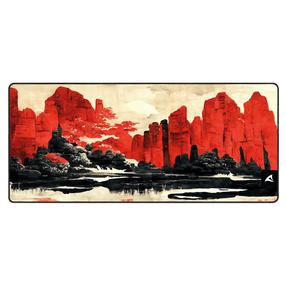

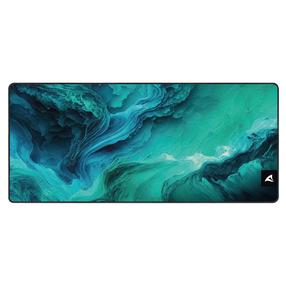
Hiirematt Sharkoon SGP30 XXL D4, 90 cm x 40 cm x 0.25 cm, sinine v./roheline v.
22,95 €
Tavahind
27,39 €