Toote informatsioon
Philips 231B4QPYCB/00
Toote kirjeldus inglise keeles:
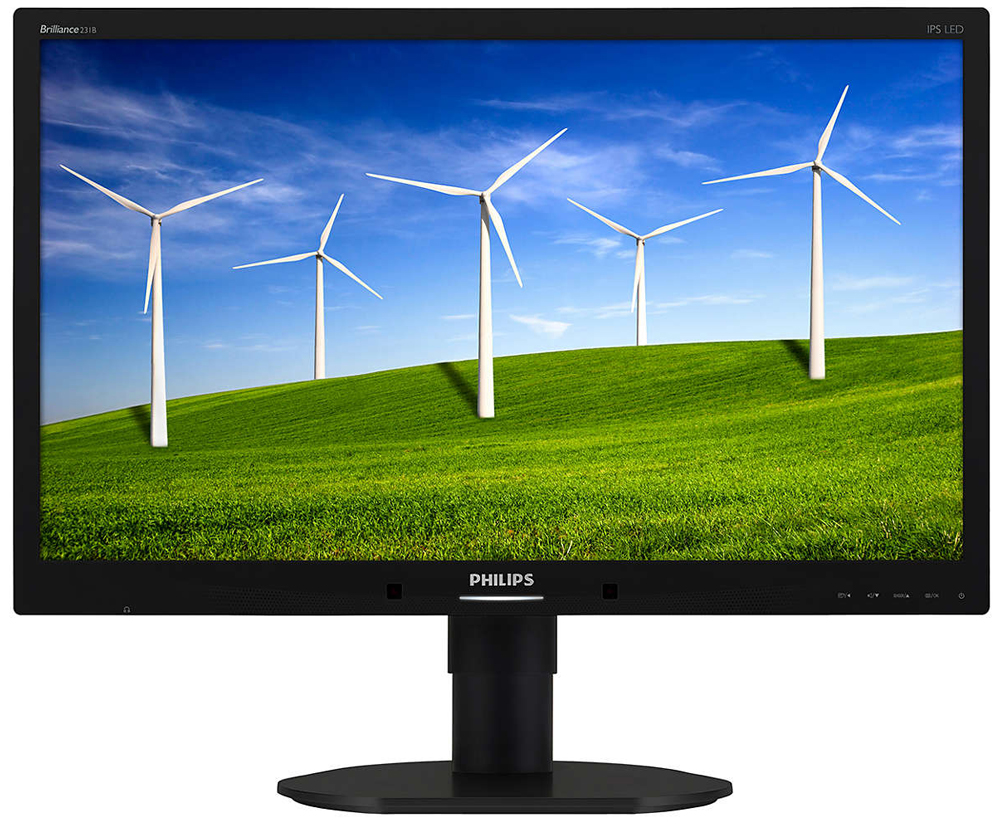
IPS display
IPS displays use an advanced technology which gives you extra wide viewing angles of 178/178 degree, making it possible to view the display from almost any angle - even in 90 degree Pivot mode! Unlike standard TN panels, IPS displays gives you remarkably crisp images with vivid colors, making it ideal not only for Photos, movies and web browsing, but also for professional applications which demand color accuracy and consistent brightness at all times.
DisplayPort
DisplayPort is a digital link from PC to Monitor without any conversion. With higher capabilities than DVI standard, it is fully capable to support up to 15meter cables and 10.8 Gbps/sec data transfer. With this high performance and zero latency, you get the fastest imaging and refresh rates - making DisplayPort the best choice for not only general office or home use, but also for the demanding gaming and movies, video editing and more. It also keeps interoperability in mind via use of various adapters.
Built-in stereo speakers
A pair of high quality stereo speakers built into a display device. It can be visible front firing, or invisible down firing, top firing, rear firing, etc depending on model and design.
SmartErgoBase
The SmartErgoBase is a monitor base that delivers ergonomic display comfort and provides cable management. The base's people-friendly height, swivel, tilt and rotation angle adjustments position the monitor for maximum comfort that can ease the physical strains of a long workday; cable management reduces cable clutter and keeps the workspace neat and professional.
Low bezel-to-table height
The Philips monitor, thanks to its advanced SmartErgoBase, can be lowered down almost to desk level for a comfortable viewing angle. Low bezel-to-table height is the perfect solution if you use bifocals, trifocals or progressive lens glasses for your computing work. Additionally, it allows for users with greatly different heights to use the monitor in their preferred angle and height settings, helping them reduce fatigue and strain.
SmartImage
SmartImage is an exclusive leading edge Philips technology that analyzes the content displayed on your screen and gives you optimized display performance. This user friendly interface allows you to select various modes like Office, Photo, Movie, Game, Economy etc., to fit the application in use. Based on the selection, SmartImage dynamically optimizes the contrast, color saturation and sharpness of images and videos for ultimate display performance. The Economy mode option offers you major power savings. All in real time with the press of a single button!
2 Ports USB 2.0 HUB
USB Hub allows user to conveniently connect their plug and play multimedia devices such as USB memory devices, camera, portable HDD, Web camera, PDA, Printer and many other devices which has USB connection available. The conveniently located USB 2.0 Hub on the monitor allows USB 2.0 signals to pass thru to the computer. Note that many devices like cameras and HDD may need to be powered On independently, as they have higher power requirements than the monitor USB Hub can provide.
PowerSensor
PowerSensor is a built-in 'people sensor' that transmits and receives harmless infrared signals to determine if user is present and automatically reduces monitor brightness when user steps away from the desk, cutting energy costs by up to 80 percent and prolonging monitor life
Toote kirjeldus inglise keeles:
IPS display
IPS displays use an advanced technology which gives you extra wide viewing angles of 178/178 degree, making it possible to view the display from almost any angle - even in 90 degree Pivot mode! Unlike standard TN panels, IPS displays gives you remarkably crisp images with vivid colors, making it ideal not only for Photos, movies and web browsing, but also for professional applications which demand color accuracy and consistent brightness at all times.
DisplayPort
DisplayPort is a digital link from PC to Monitor without any conversion. With higher capabilities than DVI standard, it is fully capable to support up to 15meter cables and 10.8 Gbps/sec data transfer. With this high performance and zero latency, you get the fastest imaging and refresh rates - making DisplayPort the best choice for not only general office or home use, but also for the demanding gaming and movies, video editing and more. It also keeps interoperability in mind via use of various adapters.
Built-in stereo speakers
A pair of high quality stereo speakers built into a display device. It can be visible front firing, or invisible down firing, top firing, rear firing, etc depending on model and design.
SmartErgoBase
The SmartErgoBase is a monitor base that delivers ergonomic display comfort and provides cable management. The base's people-friendly height, swivel, tilt and rotation angle adjustments position the monitor for maximum comfort that can ease the physical strains of a long workday; cable management reduces cable clutter and keeps the workspace neat and professional.
Low bezel-to-table height
The Philips monitor, thanks to its advanced SmartErgoBase, can be lowered down almost to desk level for a comfortable viewing angle. Low bezel-to-table height is the perfect solution if you use bifocals, trifocals or progressive lens glasses for your computing work. Additionally, it allows for users with greatly different heights to use the monitor in their preferred angle and height settings, helping them reduce fatigue and strain.
SmartImage
SmartImage is an exclusive leading edge Philips technology that analyzes the content displayed on your screen and gives you optimized display performance. This user friendly interface allows you to select various modes like Office, Photo, Movie, Game, Economy etc., to fit the application in use. Based on the selection, SmartImage dynamically optimizes the contrast, color saturation and sharpness of images and videos for ultimate display performance. The Economy mode option offers you major power savings. All in real time with the press of a single button!
2 Ports USB 2.0 HUB
USB Hub allows user to conveniently connect their plug and play multimedia devices such as USB memory devices, camera, portable HDD, Web camera, PDA, Printer and many other devices which has USB connection available. The conveniently located USB 2.0 Hub on the monitor allows USB 2.0 signals to pass thru to the computer. Note that many devices like cameras and HDD may need to be powered On independently, as they have higher power requirements than the monitor USB Hub can provide.
PowerSensor
PowerSensor is a built-in 'people sensor' that transmits and receives harmless infrared signals to determine if user is present and automatically reduces monitor brightness when user steps away from the desk, cutting energy costs by up to 80 percent and prolonging monitor life
Koos ostetud

TOP toode
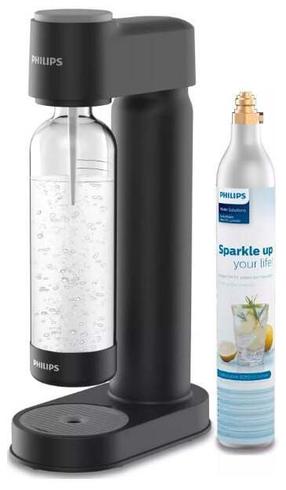
Karastusjoogi valmistamise masin Philips ADD4901BK/10, 23.95 cm, 1 l, must v.
74,90 €
Tavahind
115,90 €
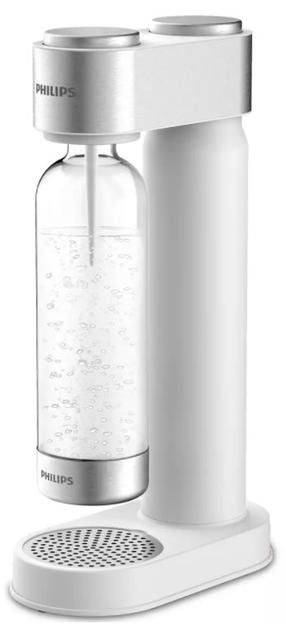
Karastusjoogi valmistamise masin Philips ADD4902WH/10, 23.95 cm, 1 l, valge v.
92,00 €
Tavahind
121,90 €