Toote informatsioon
Designed with the reliability demanded by business users, the SmartOffice PL1530 features two USB ports that allow the scanner to be shared between two PCs.
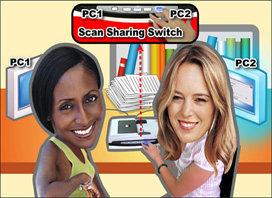
Share!
Two USB ports allow two PCs to Share! The unique Single Touch scanning buttons allow the user to send scanned images to either PC with the touch of a button. Applications that previously required two scanners connected to dedicated workstations can now get by with only one scanner. This saves you money and desk space. Of course, the SmartOffice PL1530 can be used with only one PC as well.
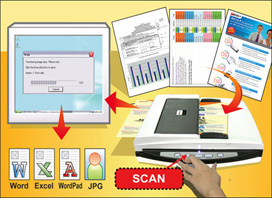
Scan!
A 50 sheet ADF simplifies scanning of multiple paged documents while the integral flatbed enables the scanning of small or delicate documents. The SmartOffice PL1530 automatically determines if the document to be scanned is in the ADF or on the flatbed. No need to change settings to use either the ADF or flatbed. With the press of a button, documents can be saved as searchable PDF and sent to a shared folder, email address, printer or any image enabled Windows application. Scanned documents can also be saved in Microsoft Office format.
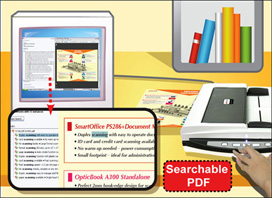
Be Productive!
Create searchable PDFs with the touch of a button. The SmartOffice PL1530 is bundled with business card reading software and a suite of document management and scanning applications to allow you to be productive right out of the box. In addition to searchable PDF, the SmartOffice PL1530 can create all popular image file formats. Editable Microsoft Office documents are generated by the included ABBYY FineReader Sprint software. Powerful image processing built into the scanner ensures the highest image quality and OCR accuracy. Industry standard TWAIN and WIA drivers ensure compatibility with thousands of image enabled applications.
 Environmentally Responsible and Energy-Saving
The SmartOffice PL1530 is ENERY STAR certified and environmentally responsible.
Features
The SmartOffice PL1530 has following features: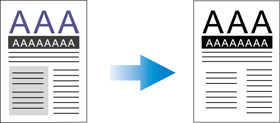
- Auto Threshold
Automatically thresholds the current image into a binary black and white image.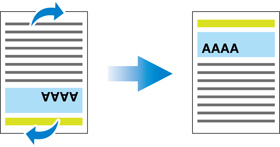
- Auto Rotate
Automatically rotates document based on the contents of the document.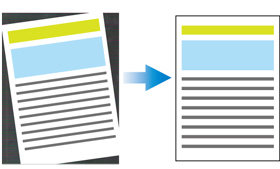
- Auto Crop & Deskew
Automatically straightens and crops image to the documents actual size.
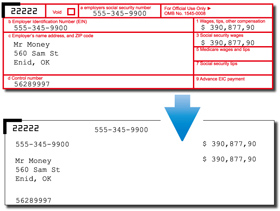 |
Removes red, green or blue color when scanning forms. |
Automatically removes blank pages without manual editing. |
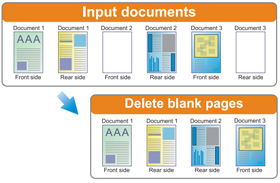 |
Koos ostetud

TOP toode