Toote informatsioon
Toote kirjeldus inglise keeles:
NZXT Bunker 5.25" USB Security Hub Black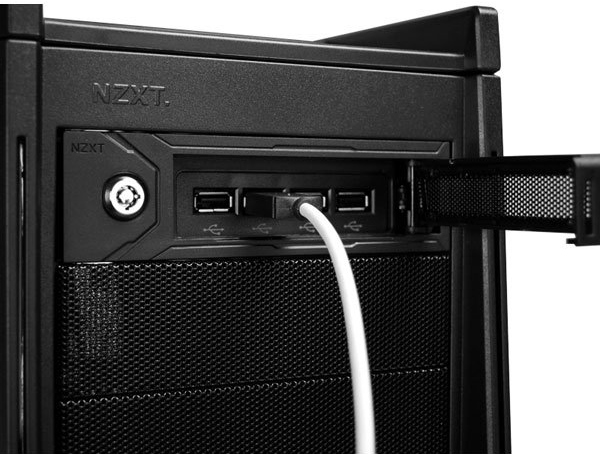 As a housing specialist with a broad repertoire, NZXT is very familiar with the requirements and wishes of the community. The gaming division, and in particular the LAN party fans, requested the NZXT engineers to develop a system for securing the valuable peripherals (mouse, keyboard and headset), as these are regularly stolen at the respective events.
With these requirements, the developers sat down on their drawing boards to devise an equally functional, as versatile and inexpensive solution. The result is today in the form of the "bunker" in front of us. This is initially a simple-black 5.25-inch module, which thanks to this format universally fits in the front of the housing. The installation is just as easy and fast done.
Well recognizable is located in the left part of the front of a massive castle. With its use, the front flap opens to the right and the four USB 2.0 ports behind it are automatically pushed forward by a tensioned spring. Why this effort? If only the connections themselves were to be secured, the ports could undoubtedly be mounted directly behind the panel.
However, since peripherals are to be secured here, the connections must be easily accessible on the one hand - they are only in the front position, but on the other hand also leave a gap to the flap, as otherwise the USB ports of the peripheral devices would collide with the flap. With the flip-out function both requirements are fulfilled.
The actual fuse finally results from the fact that the cables are led out over a narrow gap at the bottom and the USB connections can not be pulled out due to their thickness. The bunker lives up to its name and allows a relaxed LAN break.
Note: Figure 6 shows the bunker system when installed. The illustrated case and cable are not included.
Technical details:
NZXT Bunker 5.25" USB Security Hub Black
With these requirements, the developers sat down on their drawing boards to devise an equally functional, as versatile and inexpensive solution. The result is today in the form of the "bunker" in front of us. This is initially a simple-black 5.25-inch module, which thanks to this format universally fits in the front of the housing. The installation is just as easy and fast done.
Well recognizable is located in the left part of the front of a massive castle. With its use, the front flap opens to the right and the four USB 2.0 ports behind it are automatically pushed forward by a tensioned spring. Why this effort? If only the connections themselves were to be secured, the ports could undoubtedly be mounted directly behind the panel.
However, since peripherals are to be secured here, the connections must be easily accessible on the one hand - they are only in the front position, but on the other hand also leave a gap to the flap, as otherwise the USB ports of the peripheral devices would collide with the flap. With the flip-out function both requirements are fulfilled.
The actual fuse finally results from the fact that the cables are led out over a narrow gap at the bottom and the USB connections can not be pulled out due to their thickness. The bunker lives up to its name and allows a relaxed LAN break.
Note: Figure 6 shows the bunker system when installed. The illustrated case and cable are not included.
Technical details:
- Space requirement: 1x 5.25 inch slot
- Material: plastic (frame, panel), mesh (front grille)
- Color: Black
- I / O panel: 4x USB 2.0
- Connection: 1x USB 2.0 header (internal)
- Features:
- Lockable
- Cable Lock
- Flipout function
Koos ostetud

TOP toode
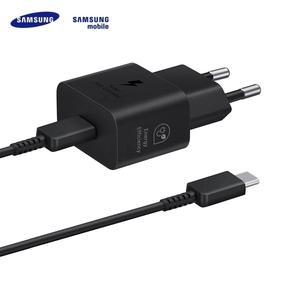
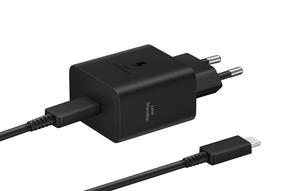
Telefoni laadija Samsung EP-T2510XBEGEU, 1 x USB Type C, 100 cm, must v., 25 W
19,83 €
Tavahind
47,00 €